# How to Start Your Research in vLex Library

### Summary

Start your **vlex legal research** using the **Smart Searchbar** for quick queries, **Advanced Search** for precision filtering, or **Browse** to explore the vLex Library by jurisdiction or practice area. Each tool is designed for a different research need.

### Why This is Important

Choosing the right search tool from the start saves you valuable time and delivers more relevant results. Understanding these options allows you to tailor your research strategy, whether you are looking for a specific document or exploring a broad area of law.

### Choosing the Right Search Tool

vLex Library offers three primary methods to find the information you need.

#### 1. Use the Smart Searchbar for Quick Queries

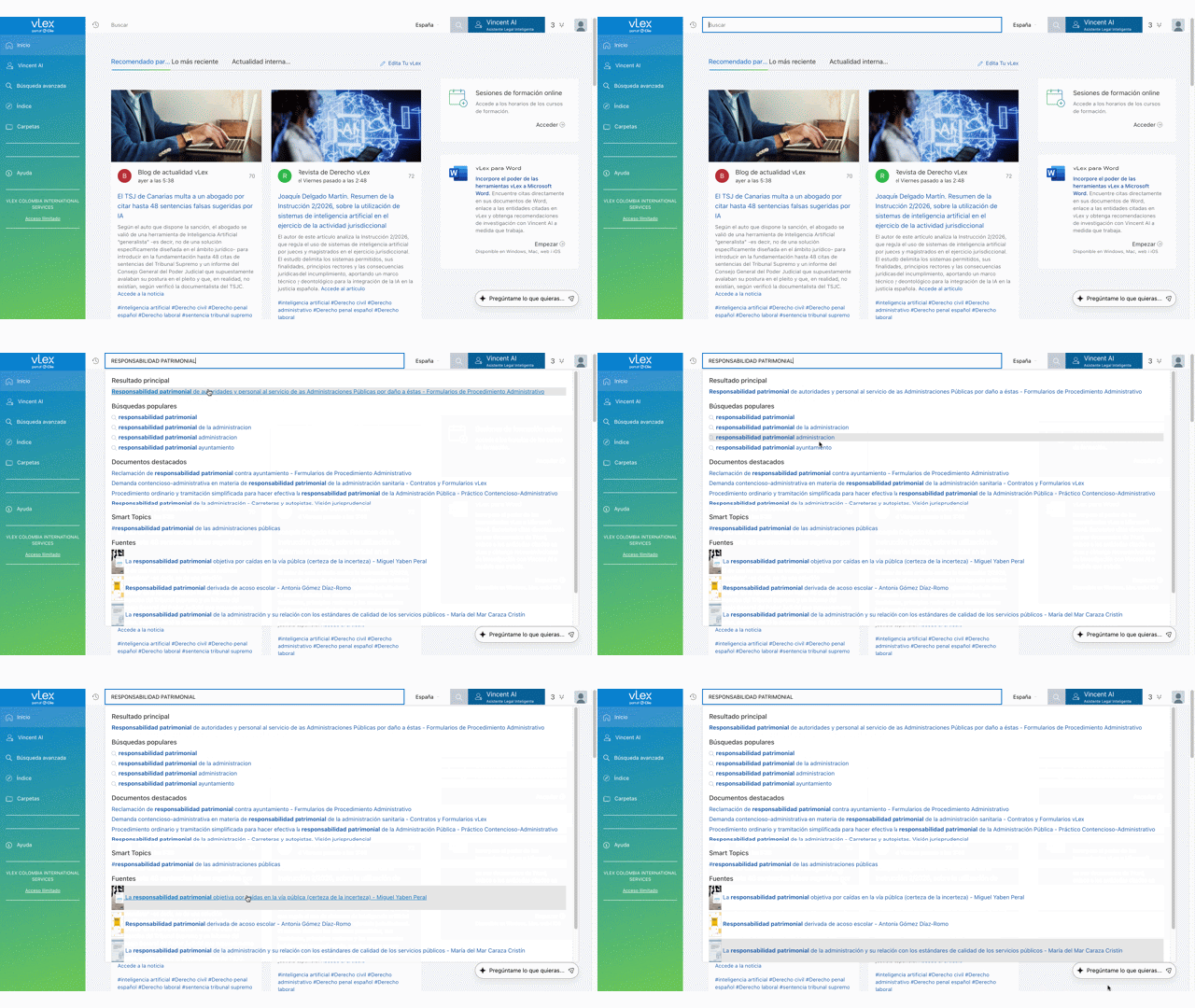
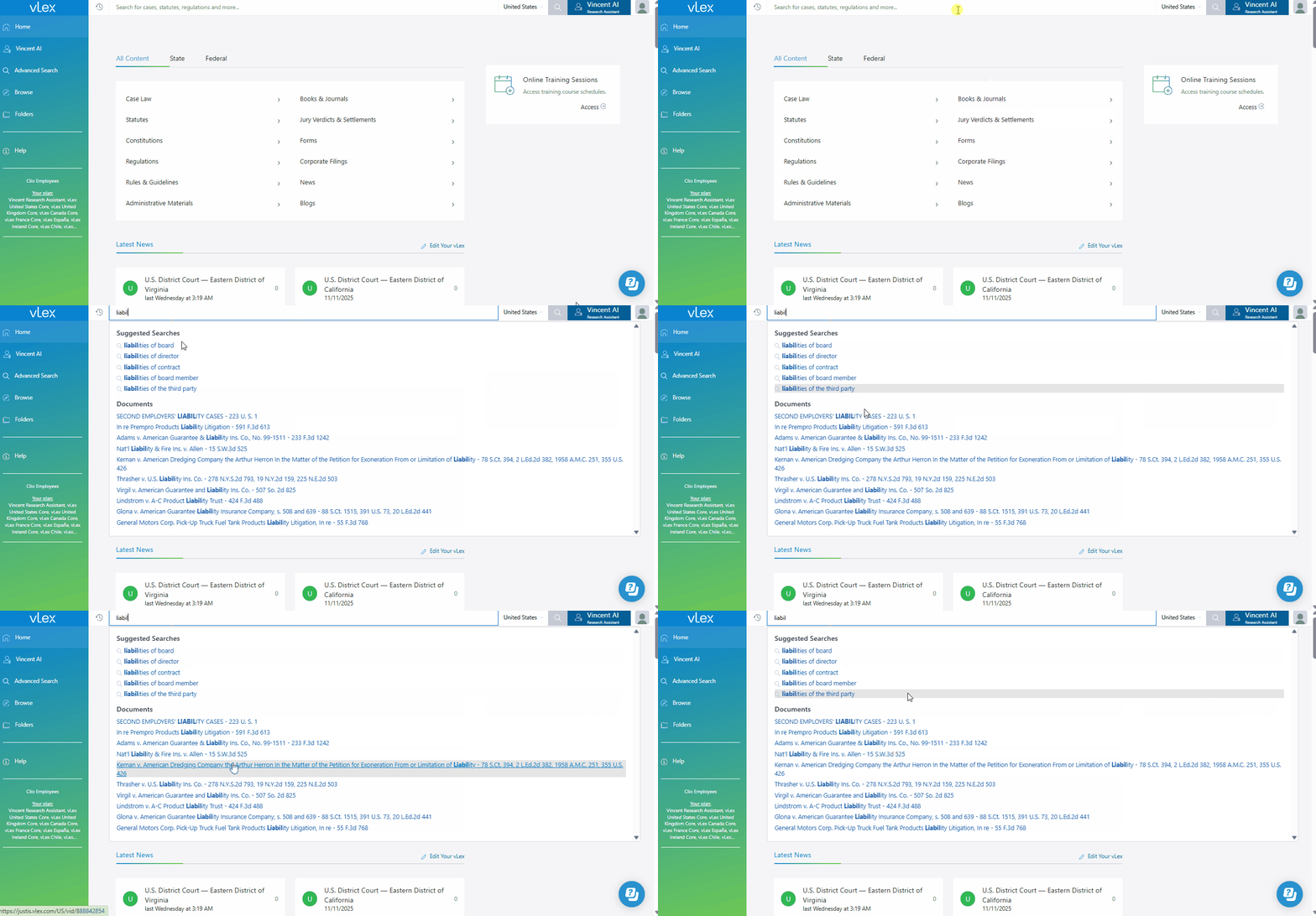
The **Smart Searchbar** is located at the top of your screen and is best for broad searches or when you need quick access to a known document.

1. Locate the search bar at the top of the page.
2. Enter any keywords, citations, or practice areas. As you type, the autocomplete feature will suggest relevant documents and topics.
3. Press Enter or click the search icon to see the full results.

{% tabs %}
{% tab title="English Interface" %}

<figure><img src="https://1556743161-files.gitbook.io/~/files/v0/b/gitbook-x-prod.appspot.com/o/spaces%2F-MS8Dq_iqEIflAmbaOkI-887967055%2Fuploads%2FlCjOKgZfME4GkJr3twoh%2FThe%20intuitive%20Smart%20Searchbar%20provides%20suggestions%20as%20you%20type.gif?alt=media&#x26;token=f6c48f52-6706-4073-b9f2-8504ac1acf3c" alt=""><figcaption><p><em>The intuitive Smart Searchbar provides suggestions as you type.</em></p></figcaption></figure>
{% endtab %}

{% tab title="Interfaz en Español" %}

<figure><img src="https://1556743161-files.gitbook.io/~/files/v0/b/gitbook-x-prod.appspot.com/o/spaces%2F-MS8Dq_iqEIflAmbaOkI-887967055%2Fuploads%2FxESNst4g53bDkJhV76Bj%2FLa%20intuitiva%20Barra%20de%20Bu%CC%81squeda%20Inteligente%20ofrece%20sugerencias%20mientras%20escribes..gif?alt=media&#x26;token=996f540b-cc73-4f6a-90c7-4ac9a13a4165" alt=""><figcaption><p>La intuitiva Barra de Búsqueda Inteligente ofrece sugerencias mientras escribes.</p></figcaption></figure>
{% endtab %}
{% endtabs %}

#### 2. Use Advanced Search for Precision

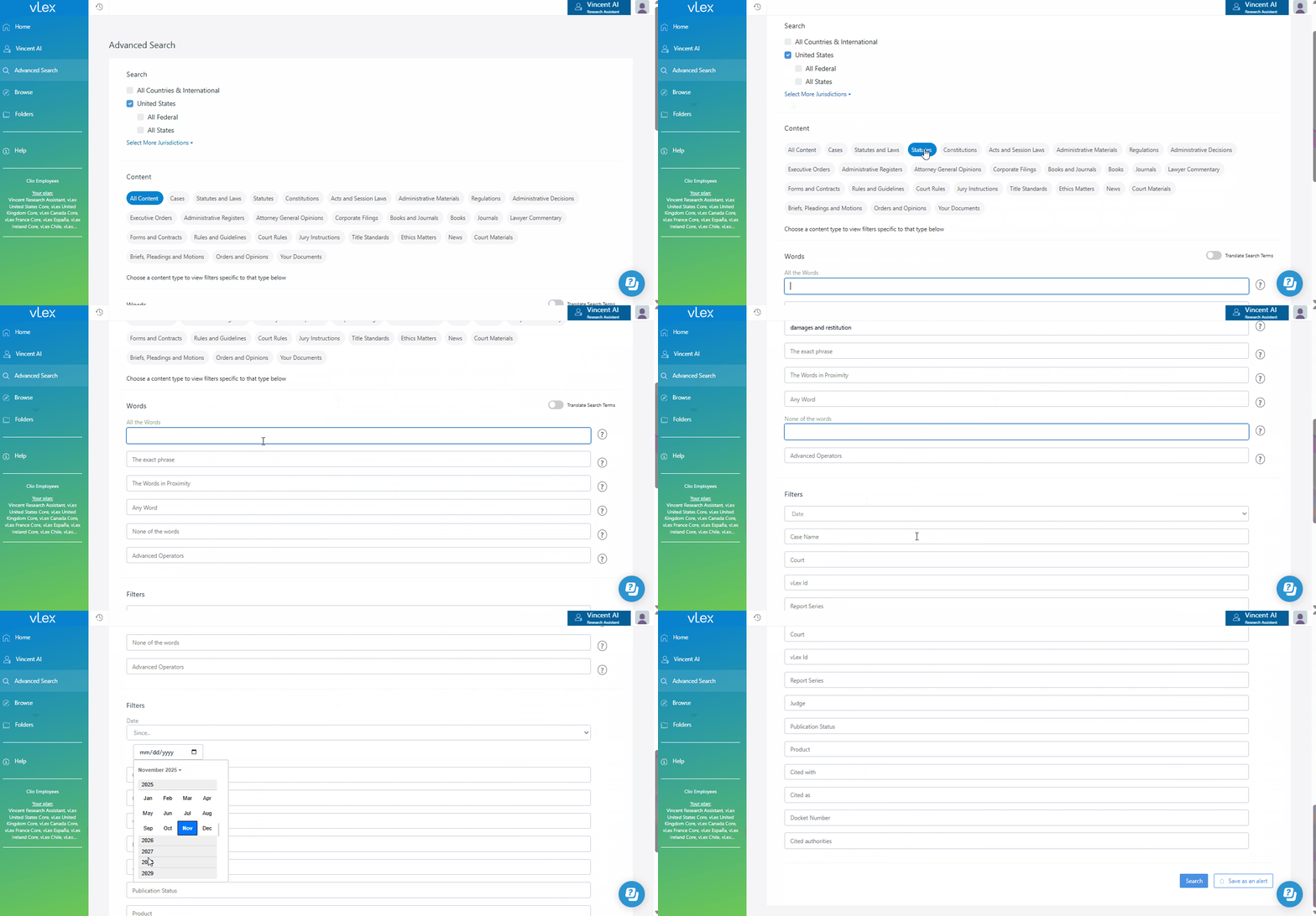
When you have specific criteria, **Advanced Search** provides powerful filters to narrow your results with high precision.

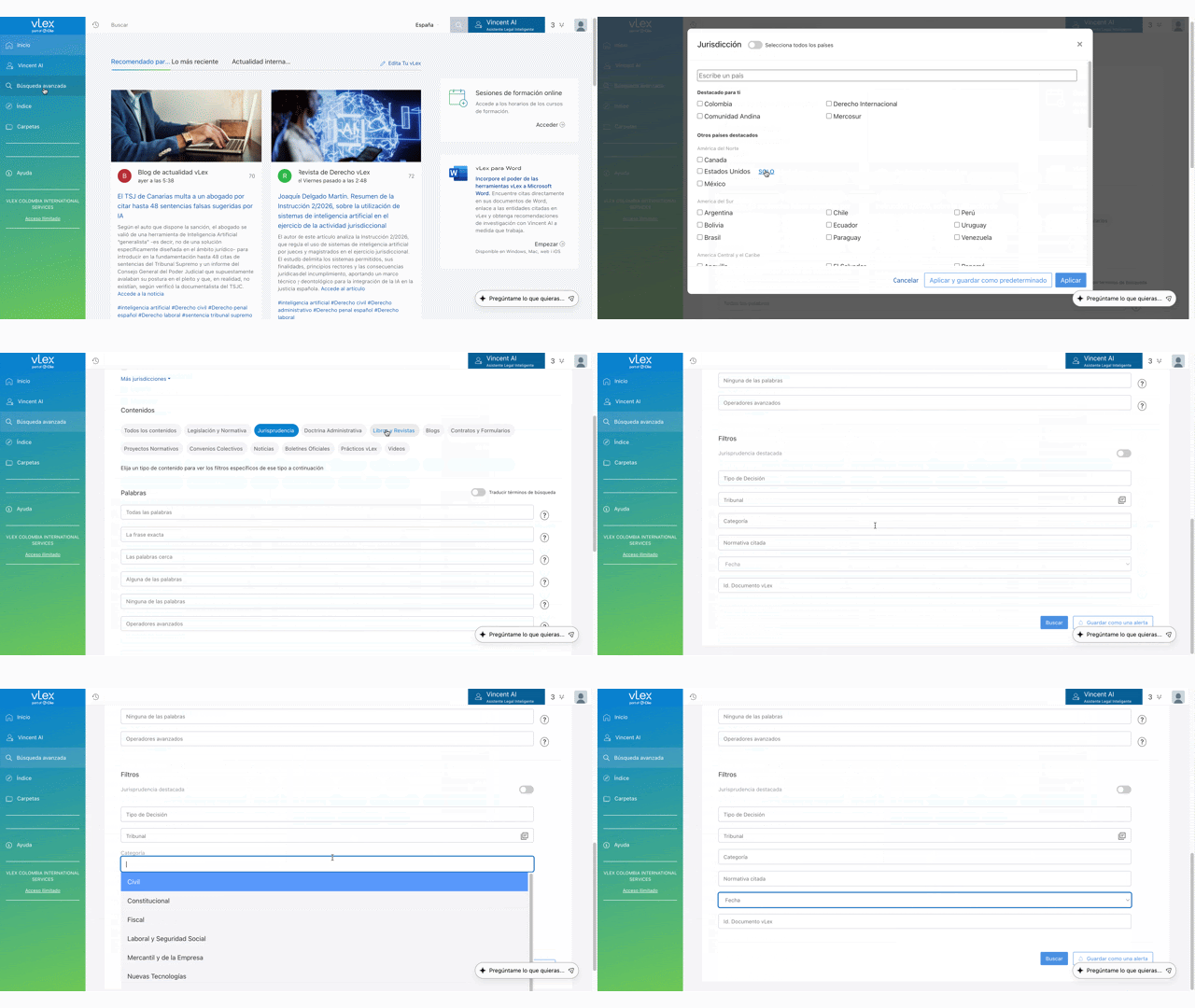
1. Select **Advanced Search** from the main menu on the left.
2. Fill in the specific fields to define your search parameters. You can search for exact phrases, find words in close proximity, or include/exclude specific terms.
3. Hover over the **question mark icon** next to any field for a detailed explanation of its function.

{% tabs %}
{% tab title="English Interface" %}

<figure><img src="https://1556743161-files.gitbook.io/~/files/v0/b/gitbook-x-prod.appspot.com/o/spaces%2F-MS8Dq_iqEIflAmbaOkI-887967055%2Fuploads%2FBt66UNZKuHYmDiVCuqPe%2FUse%20the%20Advanced%20Search%20form%20for%20complex%20and%20precise%20queries..gif?alt=media&#x26;token=43bb94fe-6fc2-4a00-8d36-c9cb1446f21e" alt=""><figcaption><p><em>Use the Advanced Search form for complex and precise queries.</em></p></figcaption></figure>
{% endtab %}

{% tab title="Interfaz en Español" %}

<figure><img src="https://1556743161-files.gitbook.io/~/files/v0/b/gitbook-x-prod.appspot.com/o/spaces%2F-MS8Dq_iqEIflAmbaOkI-887967055%2Fuploads%2Fqbmxzzvbuh9m1QUHGD90%2FUsa%20el%20formulario%20de%20Bu%CC%81squeda%20Avanzada%20para%20consultas%20complejas%20y%20precisas..gif?alt=media&#x26;token=bc540e97-fcfc-492e-878f-6d9c39199fe4" alt=""><figcaption><p>Usa el formulario de Búsqueda Avanzada para consultas complejas y precisas.</p></figcaption></figure>
{% endtab %}
{% endtabs %}

#### 3. Use Browse to Explore by Category

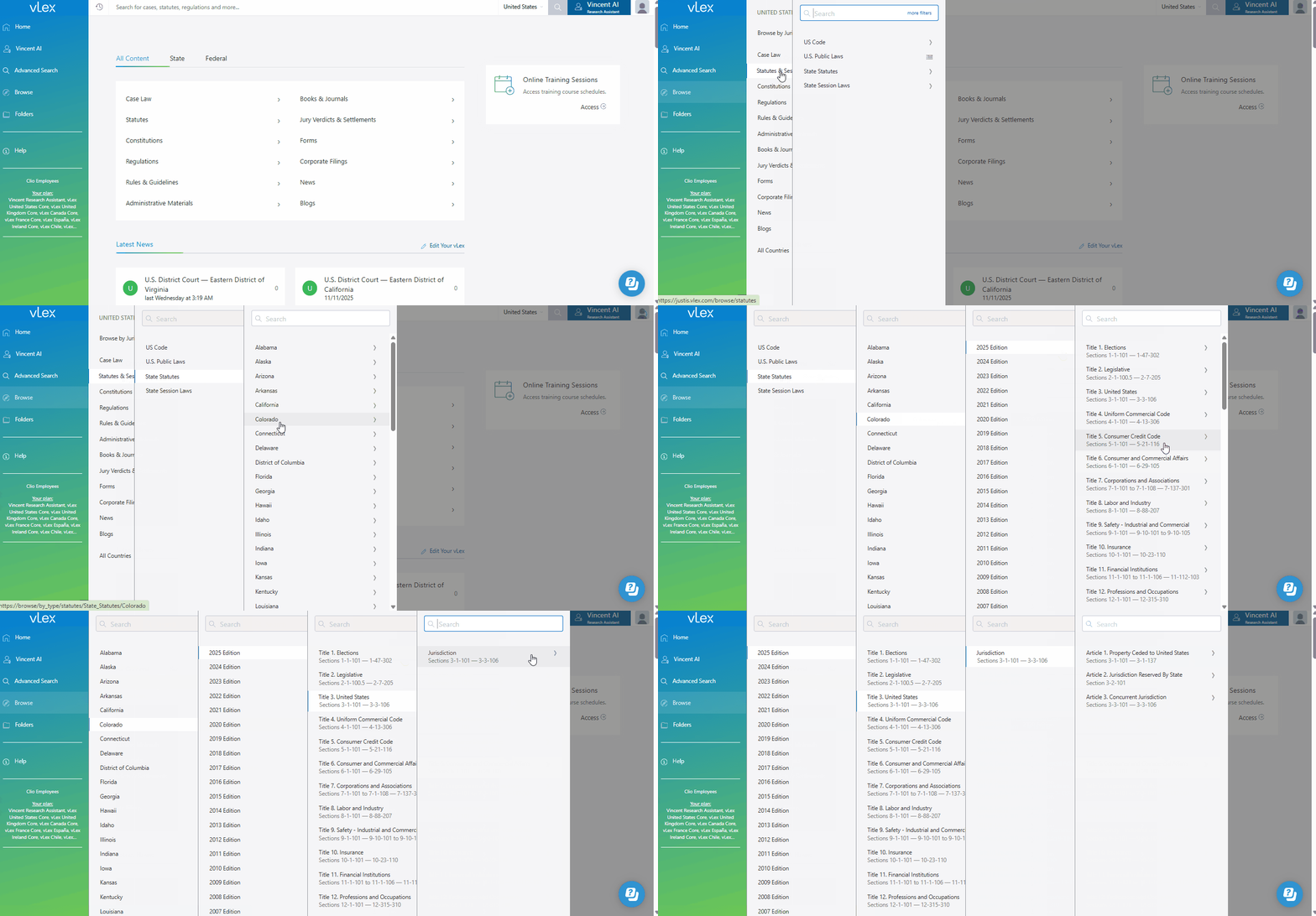
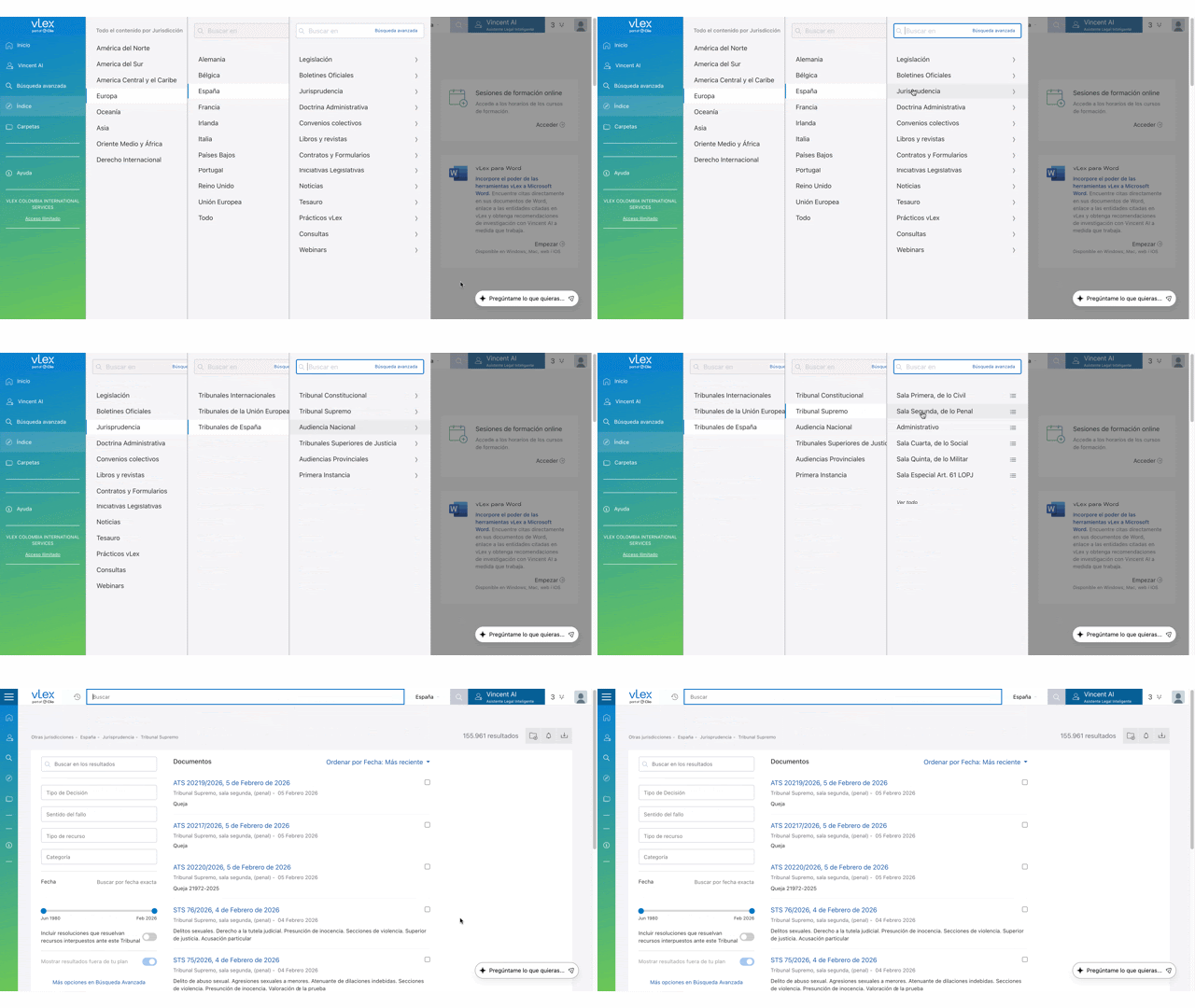
The **Browse** tool is perfect for exploring content when you don't have a specific keyword in mind. It allows you to filter step-by-step.

1. Select **Browse** from the main menu on the left.
2. Apply filters sequentially to narrow down content by **Jurisdiction**, **Document Type**, **Category of Law**, or **Practice Area**.
3. Once you have a set of results, you can use the **Search in results** field to add keywords for further refinement.

{% tabs %}
{% tab title="English Interface" %}

<figure><img src="https://1556743161-files.gitbook.io/~/files/v0/b/gitbook-x-prod.appspot.com/o/spaces%2F-MS8Dq_iqEIflAmbaOkI-887967055%2Fuploads%2FLGAZQuHKYC2xptqrWeZQ%2FUse%20the%20Browse%20tool%20to%20navigate%20vLex%20Library&#x27;s%20content%20by%20category..gif?alt=media&#x26;token=84afe871-439b-4ddd-8ee9-85d51d027841" alt=""><figcaption><p><em>Use the Browse tool to navigate vLex Library's content by category.</em></p></figcaption></figure>
{% endtab %}

{% tab title="Interfaz en Español" %}

<figure><img src="https://1556743161-files.gitbook.io/~/files/v0/b/gitbook-x-prod.appspot.com/o/spaces%2F-MS8Dq_iqEIflAmbaOkI-887967055%2Fuploads%2FfEKebI8Snu5p3sxxmtyg%2FUsa%20la%20herramienta%20Indice%20para%20navegar%20el%20contenido%20de%20la%20Biblioteca%20vLex%20por%20categori%CC%81a..gif?alt=media&#x26;token=4f27c68a-58d2-4eed-af60-dc2b60ab6e79" alt=""><figcaption><p>Usa la herramienta Indice para navegar el contenido de la Biblioteca vLex por categoría.</p></figcaption></figure>
{% endtab %}
{% endtabs %}

### Best Practices & Pro Tips

* **Set Your Jurisdiction First:** Before starting any search, ensure you have the correct jurisdiction selected to tailor your results.
* **Use Boolean Operators:** The **Smart Searchbar** accepts operators like `AND`, `OR`, and `NOT`. For more details, read our guide on [Using Boolean Operators](https://www.notion.so/fastcase/link-to-article).
* **Researching a Document?** If your starting point is an existing document or brief, use **Vincent** to analyze it and find related authorities.

### Relevant Video Content

{% tabs %}
{% tab title="English Version" %}
{% embed url="<https://vimeo.com/917899757?share=copy>" %}
{% endtab %}

{% tab title="Versión en Español" %}
{% embed url="<https://youtu.be/W09Ff0YRN_4?si=cmmdrDdjDv59OuUV>" %}

{% endtab %}
{% endtabs %}

### Related Articles

* [How to Use Advanced Search for Precision Queries](https://support.vlex.com/vlex-library/vlex-library-home/getting-started/how-to-use-advanced-search-for-precision-queries)
* [ Using Boolean Operators to Refine Your Search](https://support.vlex.com/vlex-library/vlex-library-home/getting-started/using-boolean-operators-to-refine-your-search)
* [How to Research Case Law in vLex Library](https://support.vlex.com/vlex-library/vlex-library-home/content-and-document-types/how-to-research-case-law-in-vlex-library)

**What's Your Next Step?**

| **New to** vLex Library **?**                                                                                                                                                                                   | **Already a** vLex Library **Customer?**                                                                                                                   |
| --------------------------------------------------------------------------------------------------------------------------------------------------------------------------------------------------------------- | ---------------------------------------------------------------------------------------------------------------------------------------------------------- |
| [See how vLex Library can transform your practice. **Request a personalized demo**.](https://vlex.com/book-a-demo?utm_source=website\&utm_medium=organic\&utm_campaign=web_trial_homepage\&campaign_id=4270741) | [If you still have questions or need help with a specific feature, our team is here to assist. **Contact our Support team**.](https://vlex.com/contact-us) |