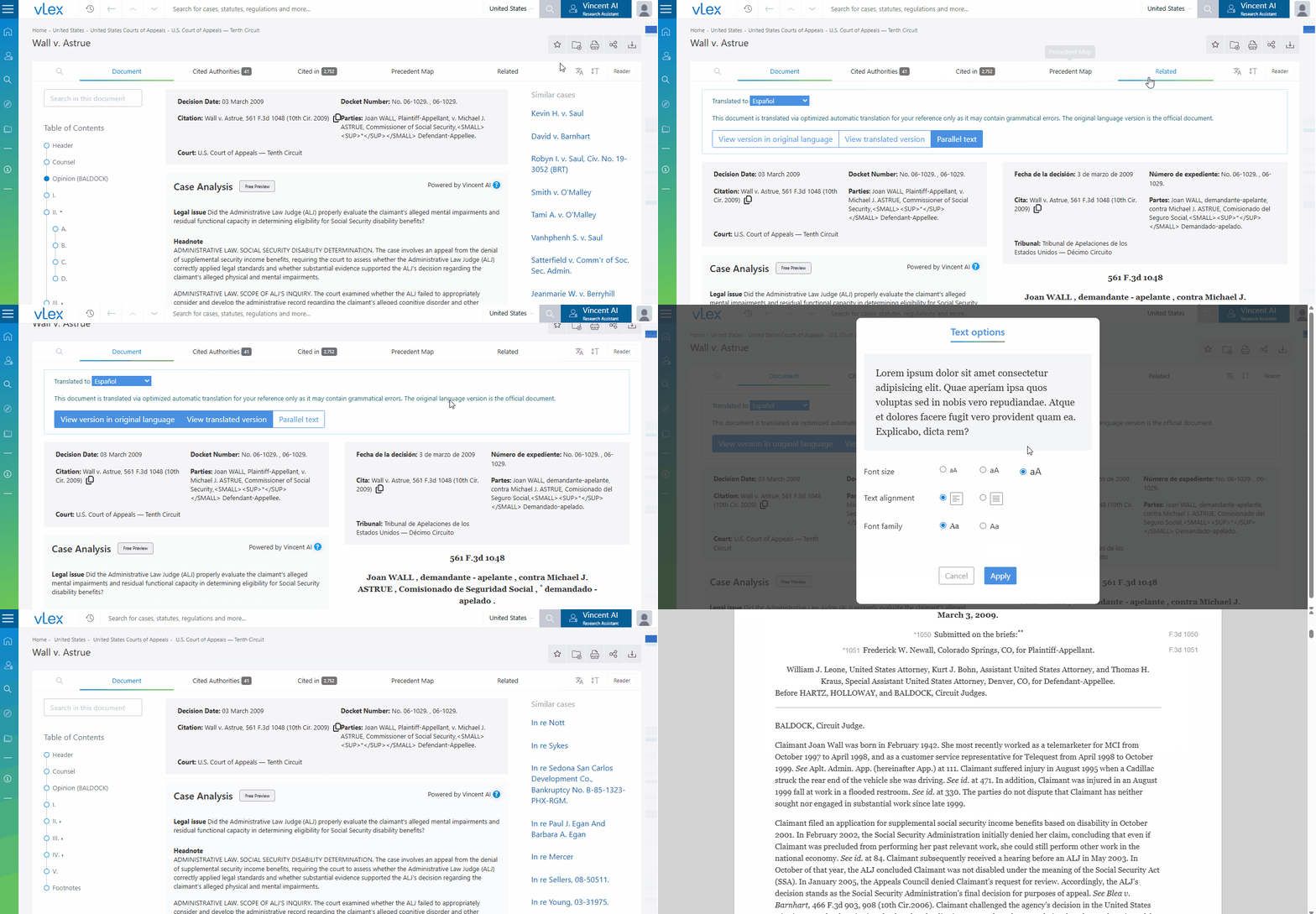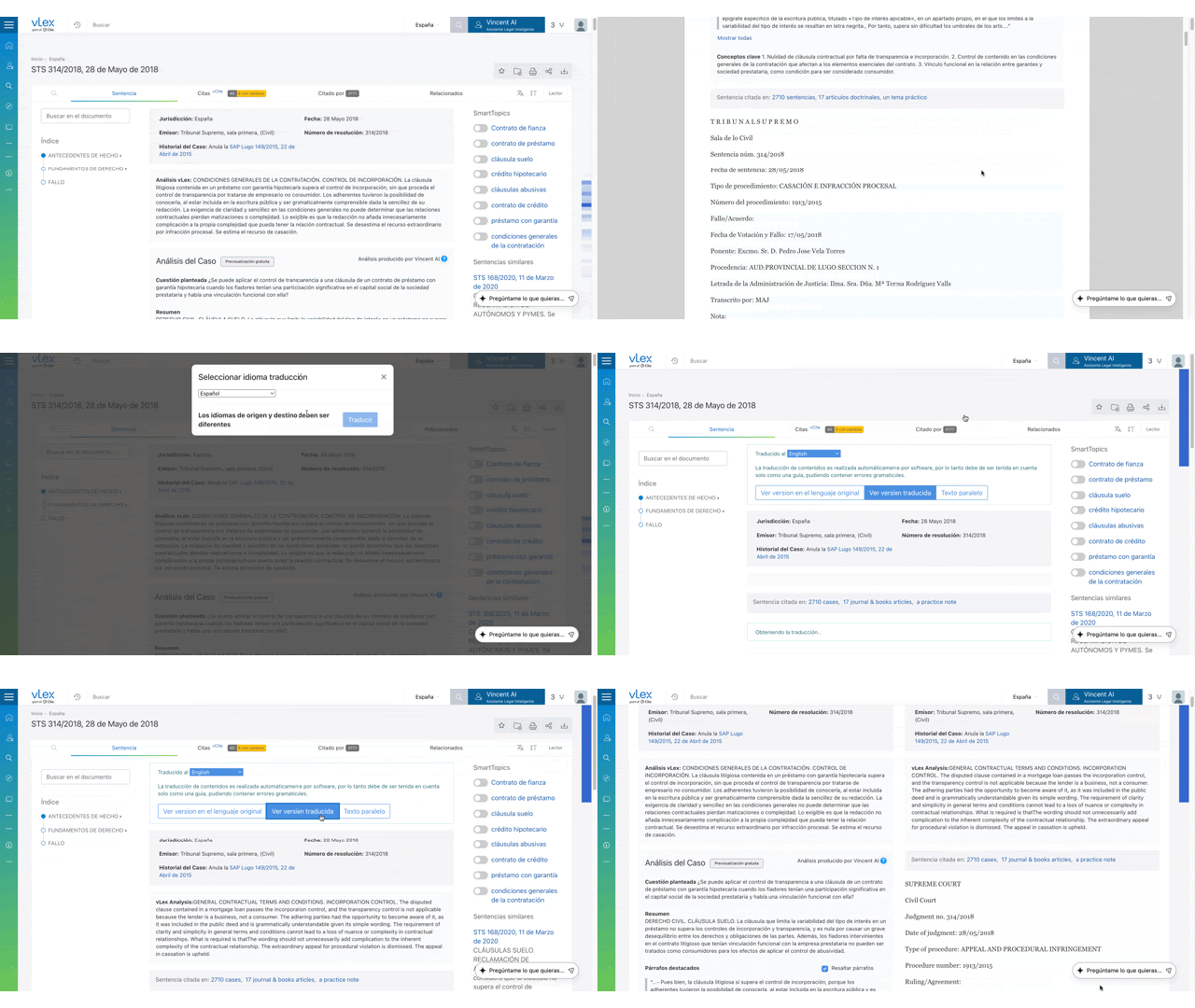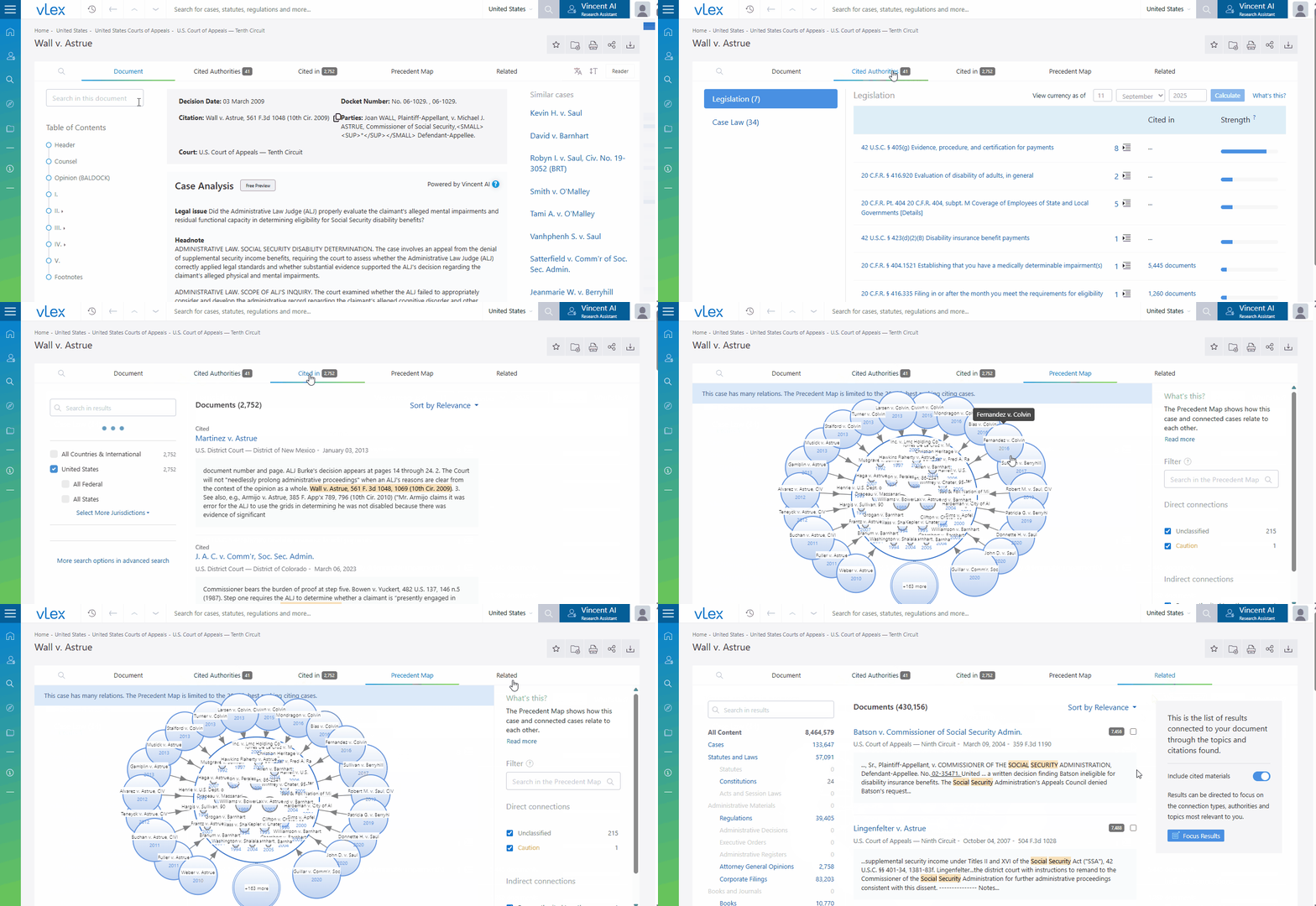
# Navigating the Document Viewer in vLex Library

### Summary

Use the **Document Viewer** to read, analyze, and interact with documents. This view includes AI-powered summaries, contextual tabs, analytical cards, and tools to customize your reading experience for a complete analysis.

### Why This is Important

Mastering the Document Viewer allows you to move beyond simply reading a document to deeply analyzing it. You can instantly grasp the core issues of a case with **Vincent Case Analysis**, assess its authority, and find the most important passages, creating an efficient **legal research workflow**.

### How to Navigate the Document Viewer

The viewer is organized into three key areas: the Main Tabs, the Document Information Cards, and the Viewing Options.

#### Understanding the Main Tabs

Above the document text, you will find several tabs that provide additional context and analysis.

* **Document:** The main tab where you read the full text of the document.
* **Cited authorities / Cited in:** Explore the documents that this case cites, and which documents have cited it. The information within these tabs, particularly the color-coding and treatment labels in **Cited in** and the **Precedent Map**, is most detailed for cases from the UK, Ireland, and the US.
* **Precedent Map:** (For case law) Visualize the citation relationships for this case.
* **Related:** Discover similar documents suggested by Vincent based on shared topics and citation patterns.

<figure><img src="/files/Vrv3ZrHzQBDF53djcFgs" alt=""><figcaption><p>Use the main tabs to explore a document's relationship to other content.</p></figcaption></figure>

#### Using the Document Information Cards

On the right side of the document, you will find up to four cards that provide at-a-glance analysis.

* **First Card:** Contains key metadata, such as parallel citations, publication dates, or author information.
* **Key phrases:** Summarizes the top informational phrases extracted from the document.
* **Categories:** Shows the areas of law relevant to the document. Click any category to find similar documents.
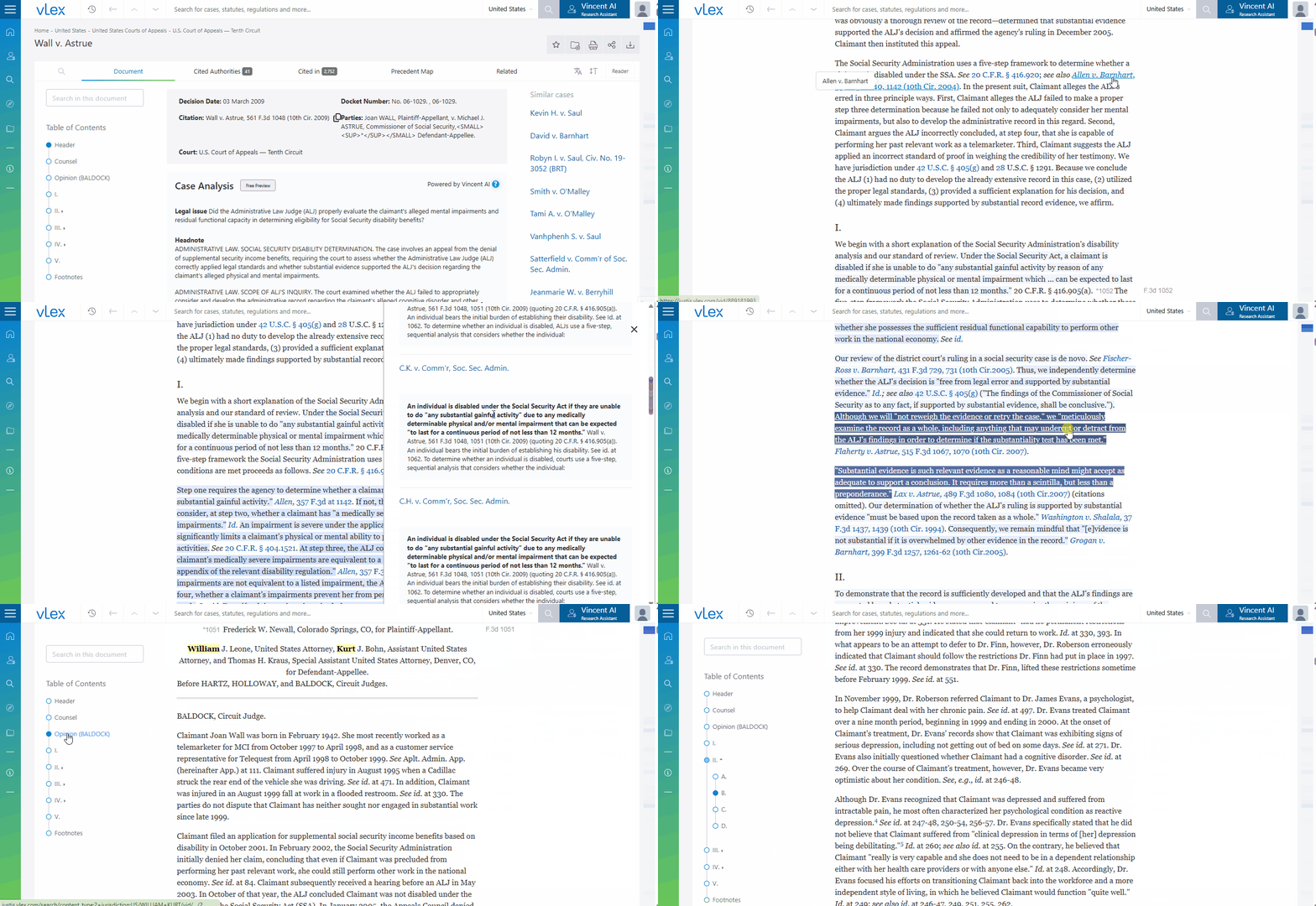
* **Key paragraphs:** Highlights the most frequently cited passages from the document, indicating the most influential parts of the judgment.

{% tabs %}
{% tab title="English Interface" %}

<figure><img src="/files/9fDCkd8wwXYhAyBsRPIF" alt=""><figcaption><p>Document Information Cards give you quick insights, metadata, key phrases, categories, and cited paragraphs.</p></figcaption></figure>
{% endtab %}

{% tab title="Interfaz en Español" %}

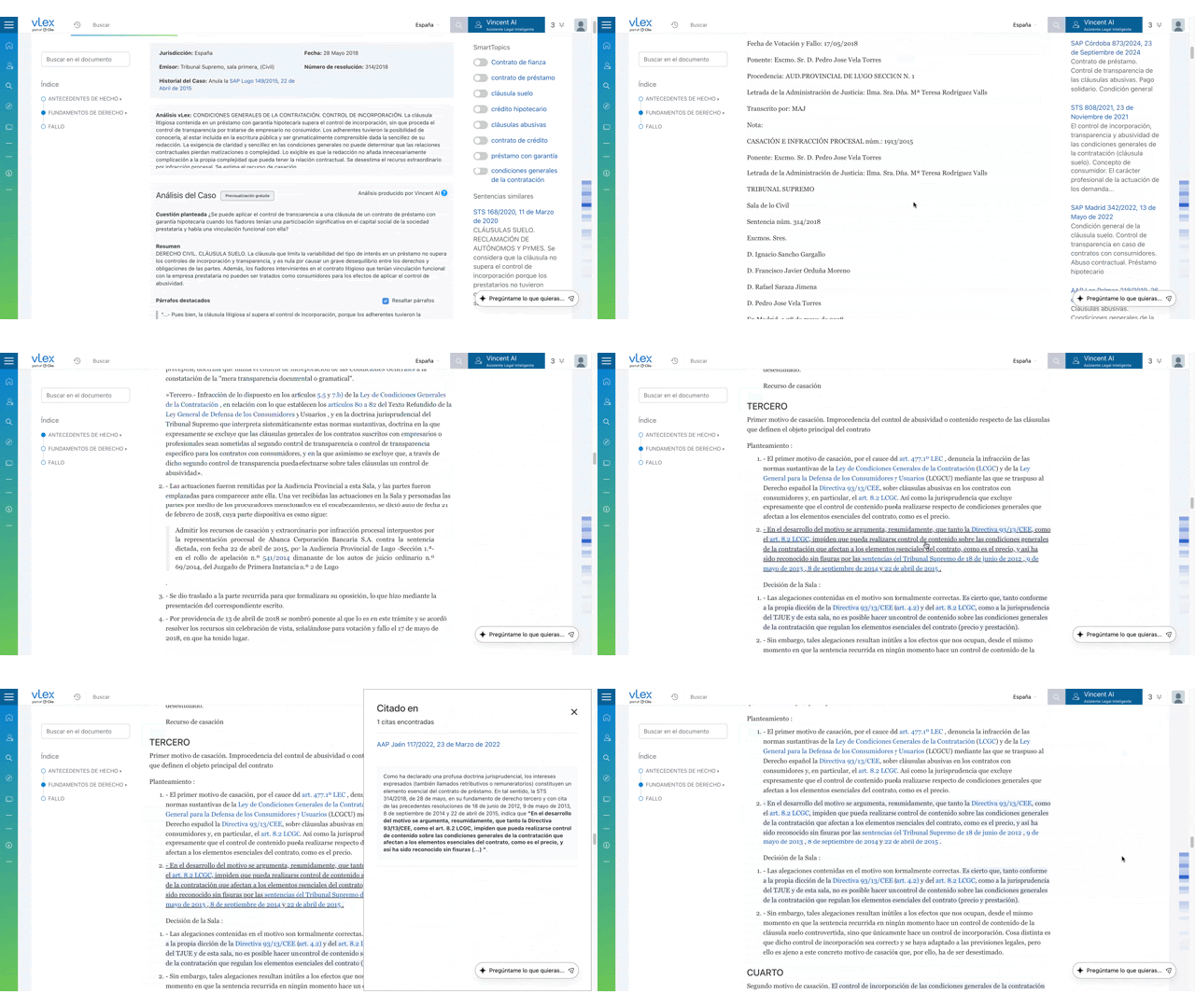
<figure><img src="/files/5wNDWuOViQMCt1BUgiVl" alt=""><figcaption><p>Las Tarjetas de Información del Documento te brindan conocimientos rápidos, metadatos, frases clave, categorías y párrafos citados.</p></figcaption></figure>
{% endtab %}
{% endtabs %}

{% hint style="success" %}
**Pro Tip: Follow the "Heat Map":** When scrolling through a judgment, passages are highlighted in blue. The darker the shade, the more frequently that passage has been cited by other cases. This heat map instantly draws your eye to the most important parts of the ruling.
{% endhint %}

#### Using Vincent Case Analysis for Instant Summaries

At the top of a case, Vincent provides an automatically generated summary of the key legal issues.

1. Open a supported case law document.
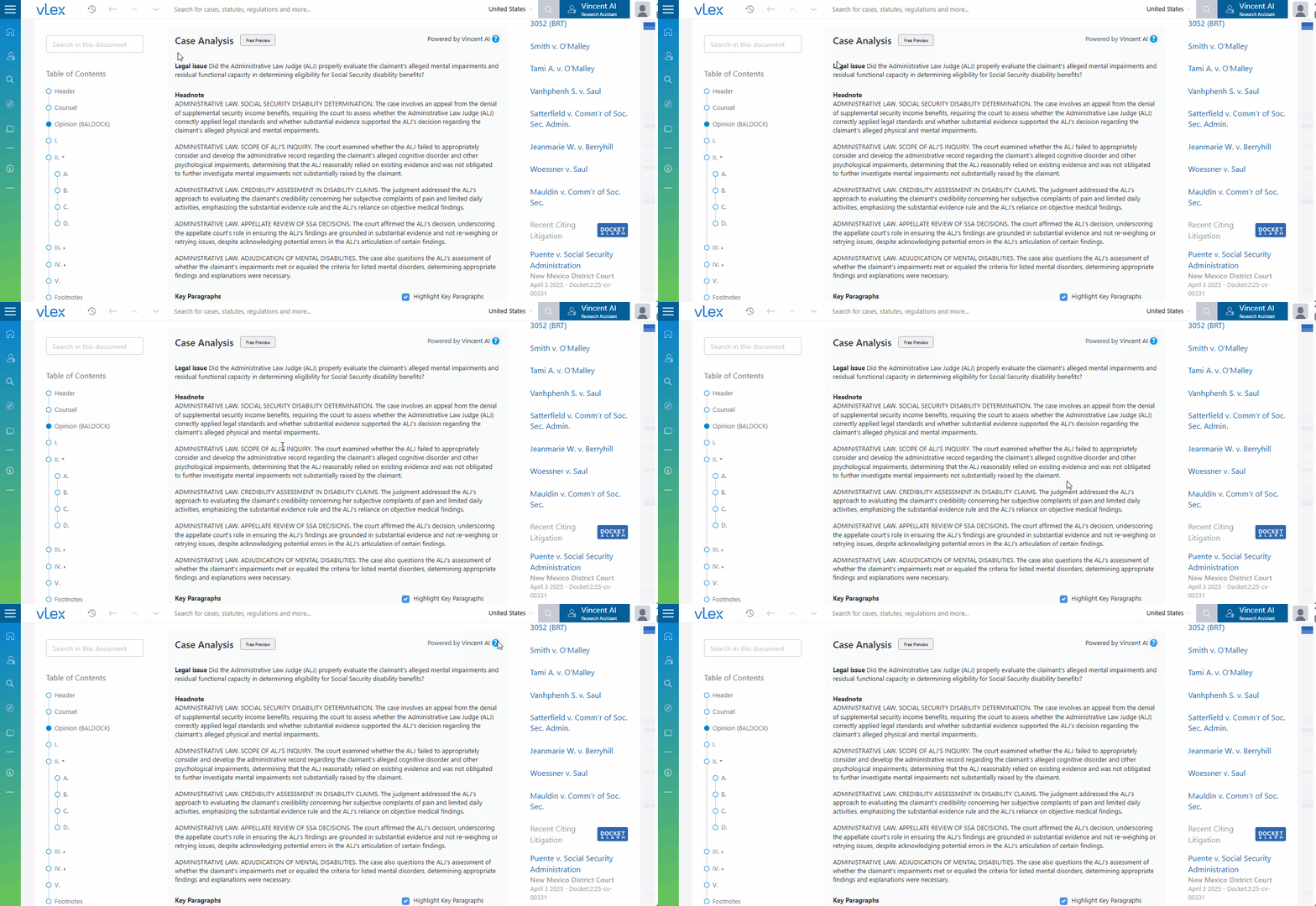
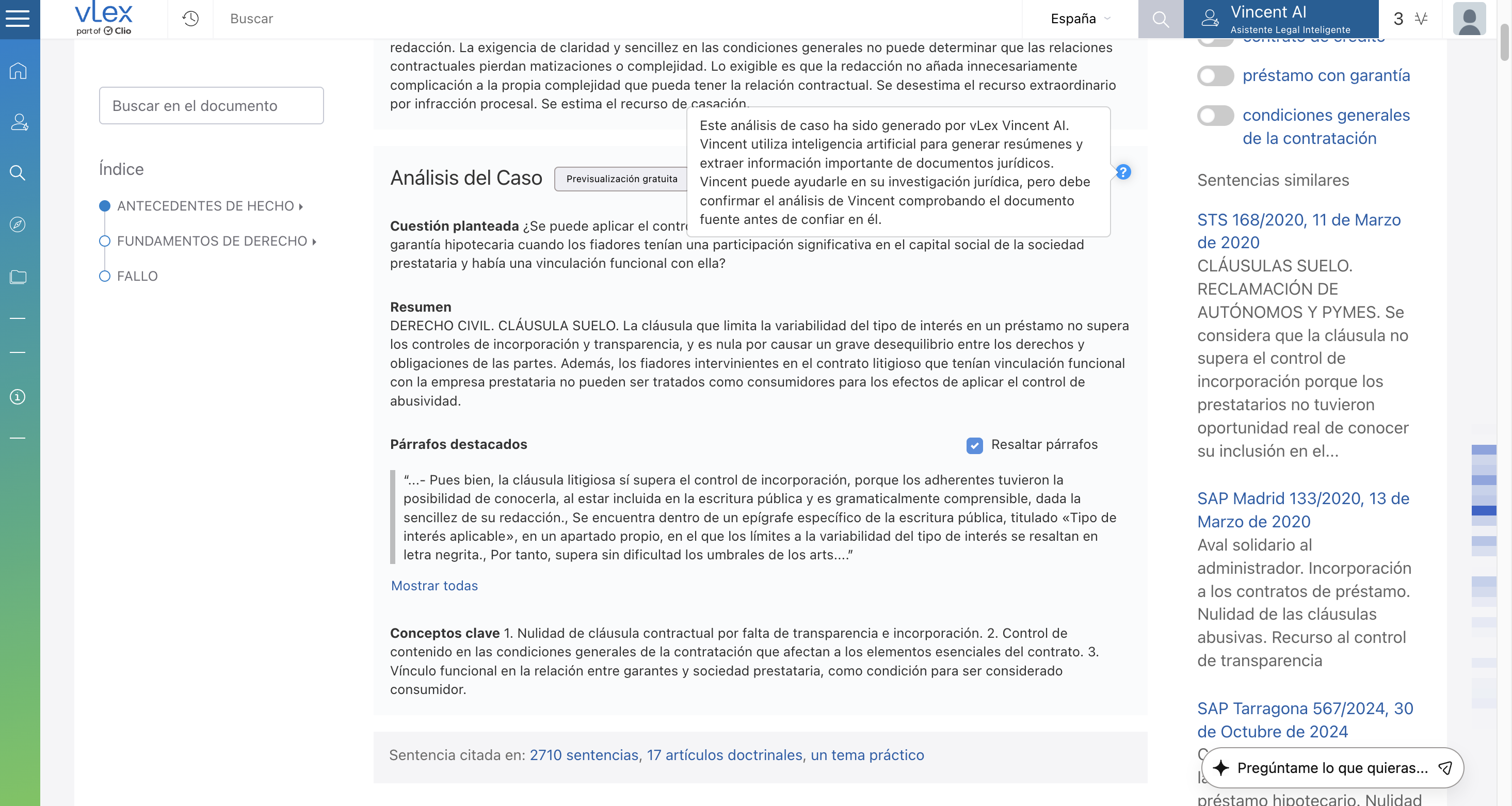
2. The **Vincent Case Analysis** summary will automatically appear at the top of the screen, above the full judgment. It provides a headnote-style summary to help you understand the important issues at a glance.

{% tabs %}
{% tab title="English Interface" %}

<figure><img src="/files/TfPOwbA17bN7UiHq2J3u" alt=""><figcaption><p>Get an instant, AI-powered summary of the case's key legal issues.</p></figcaption></figure>
{% endtab %}

{% tab title="Interfaz en Español" %}

<figure><img src="/files/HJc446BZnLdaQI7NWYdM" alt=""><figcaption><p>Obtén un resumen instantáneo e impulsado por IA de las cuestiones legales clave del caso.</p></figcaption></figure>
{% endtab %}
{% endtabs %}

{% hint style="info" %}
**Feature Availability:** This preview is active for English and Spanish common law cases in key jurisdictions, and we are continuously expanding coverage. Full access to all of Vincent's tools is determined by your subscription plan.
{% endhint %}

#### Customizing Your View

In the top-right corner, you have three options to tailor your reading experience.

* **Translate:** Instantly translate the document into another language.
* **Text options:** Change the font size, alignment, and font family.
* **Reader view:** Switch to a simplified, distraction-free layout.

{% tabs %}
{% tab title="English Interface" %}

<figure><img src="/files/yYDXuYQT2F5nTpT4fu1N" alt=""><figcaption><p>Customize your view with translate, text options, and reader mode.</p></figcaption></figure>
{% endtab %}

{% tab title="Interfaz en Español" %}

<figure><img src="/files/yAuqsNWVk5BX7E3LsS2k" alt=""><figcaption><p>Personaliza tu vista con traducir, opciones de texto y modo lector.</p></figcaption></figure>
{% endtab %}
{% endtabs %}

### Best Practices & Pro Tips

* **Check the Cards First:** Before reading the full document, review the **Key phrases** and **Key paragraphs** cards to get a quick summary and identify the most critical sections.
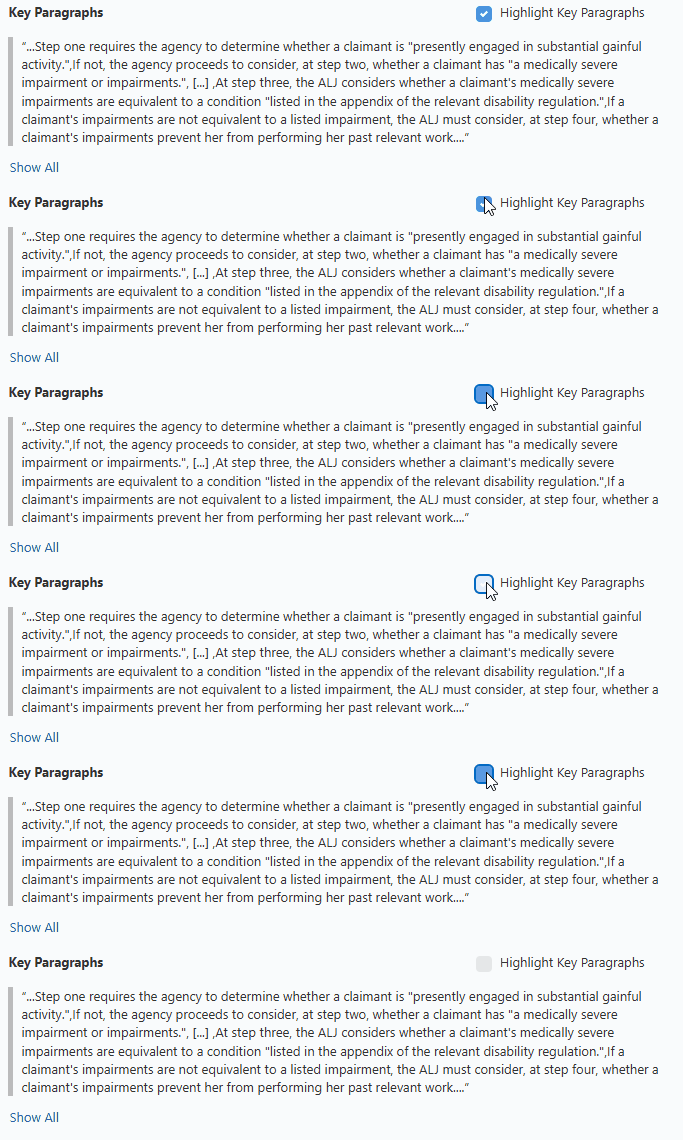
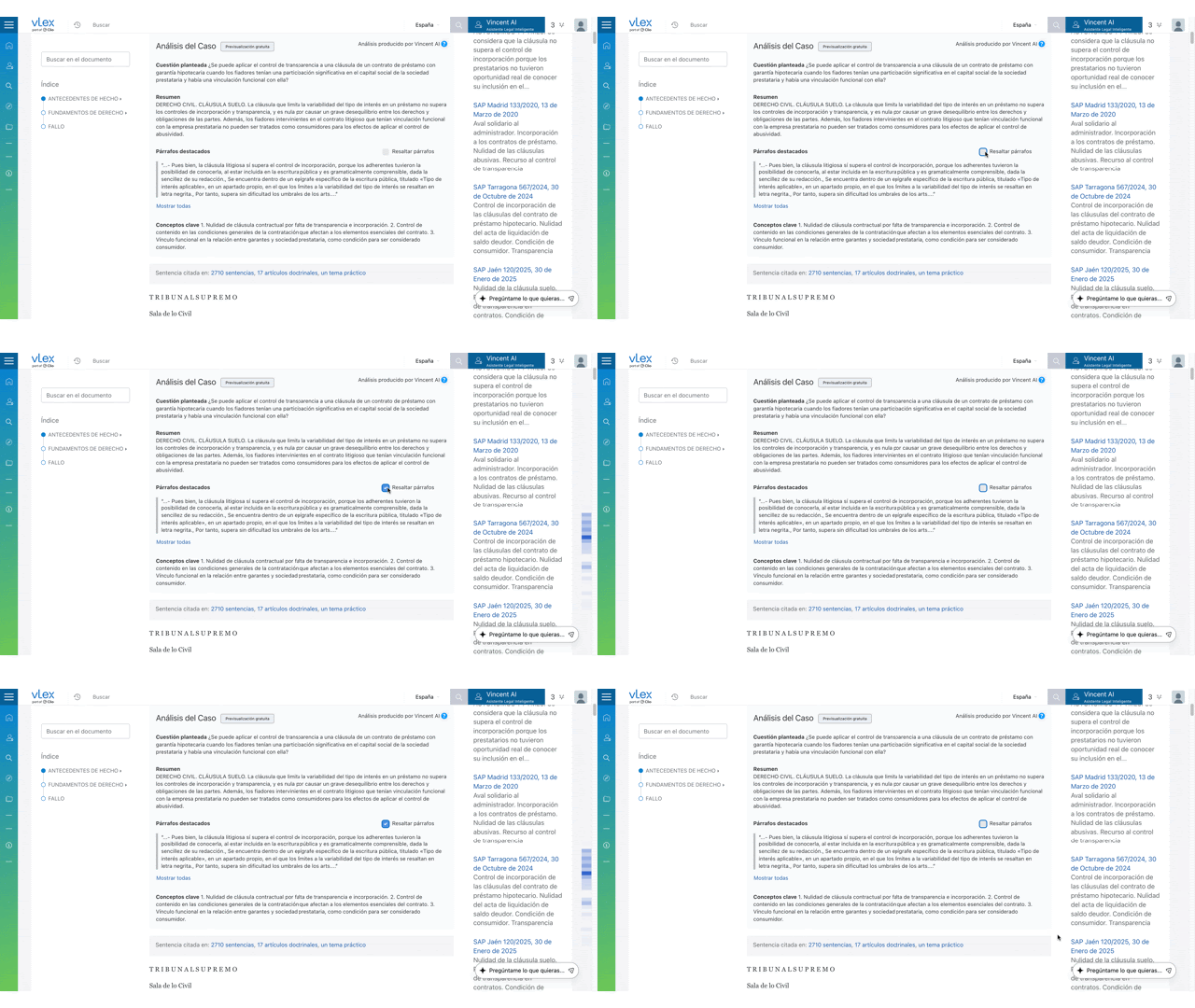
* **Disable Highlights:** If you prefer a clean reading view, you can uncheck the **Highlight key paragraphs** box located above the document cards.

{% tabs %}
{% tab title="English Interface" %}

<figure><img src="/files/PpGjhxJClKcqeKFoI9dM" alt=""><figcaption><p>Uncheck Highlight key paragraphs for a clean reading view.</p></figcaption></figure>
{% endtab %}

{% tab title="Interfaz en Español" %}

<figure><img src="/files/Ifgl548FIJ9csqomSXUG" alt=""><figcaption><p>Desmarca Resaltar párrafos clave para una vista de lectura limpia.</p></figcaption></figure>
{% endtab %}
{% endtabs %}

### Related Articles

* [Workflows & Productivity Tools](/vlex-library/vlex-library-home/workflows-and-productivity-tools.md)
* [Personalizing Your vLex Library Experience](/vlex-library/vlex-library-home/getting-started/personalizing-your-vlex-library-experience.md)
* [How to Translate Legal Documents in vLex Library](/vlex-library/vlex-library-home/workflows-and-productivity-tools/how-to-translate-legal-documents-in-vlex-library.md)

**What's Your Next Step?**

| **New to** vLex Library **?**                                                                                                                                                                                   | **Already a** vLex Library **Customer?**                                                                                                                   |
| --------------------------------------------------------------------------------------------------------------------------------------------------------------------------------------------------------------- | ---------------------------------------------------------------------------------------------------------------------------------------------------------- |
| [See how vLex Library can transform your practice. **Request a personalized demo**.](https://vlex.com/book-a-demo?utm_source=website\&utm_medium=organic\&utm_campaign=web_trial_homepage\&campaign_id=4270741) | [If you still have questions or need help with a specific feature, our team is here to assist. **Contact our Support team**.](https://vlex.com/contact-us) |


---

# Agent Instructions: Querying This Documentation

If you need additional information that is not directly available in this page, you can query the documentation dynamically by asking a question.

Perform an HTTP GET request on the current page URL with the `ask` query parameter:

```
GET https://support.vlex.com/vlex-library/vlex-library-home/getting-started/navigating-the-document-viewer-in-vlex-library.md?ask=<question>
```

The question should be specific, self-contained, and written in natural language.
The response will contain a direct answer to the question and relevant excerpts and sources from the documentation.

Use this mechanism when the answer is not explicitly present in the current page, you need clarification or additional context, or you want to retrieve related documentation sections.