# Using the Newsfeed in vLex Library to Stay Current

### Summary

Use the **Newsfeed** on your vLex Library Homepage to stay informed about legal news and legislative changes. You can customize the feed by following specific documents and SmartTopics to ensure you never miss an update relevant to your practice.

### Why This is Important

The Newsfeed transforms your homepage into a personalized daily legal briefing. By tailoring the content to your interests, you can efficiently monitor key developments, stay ahead of the curve in your practice areas, and save valuable time on current awareness research.

### How to Use the Newsfeed

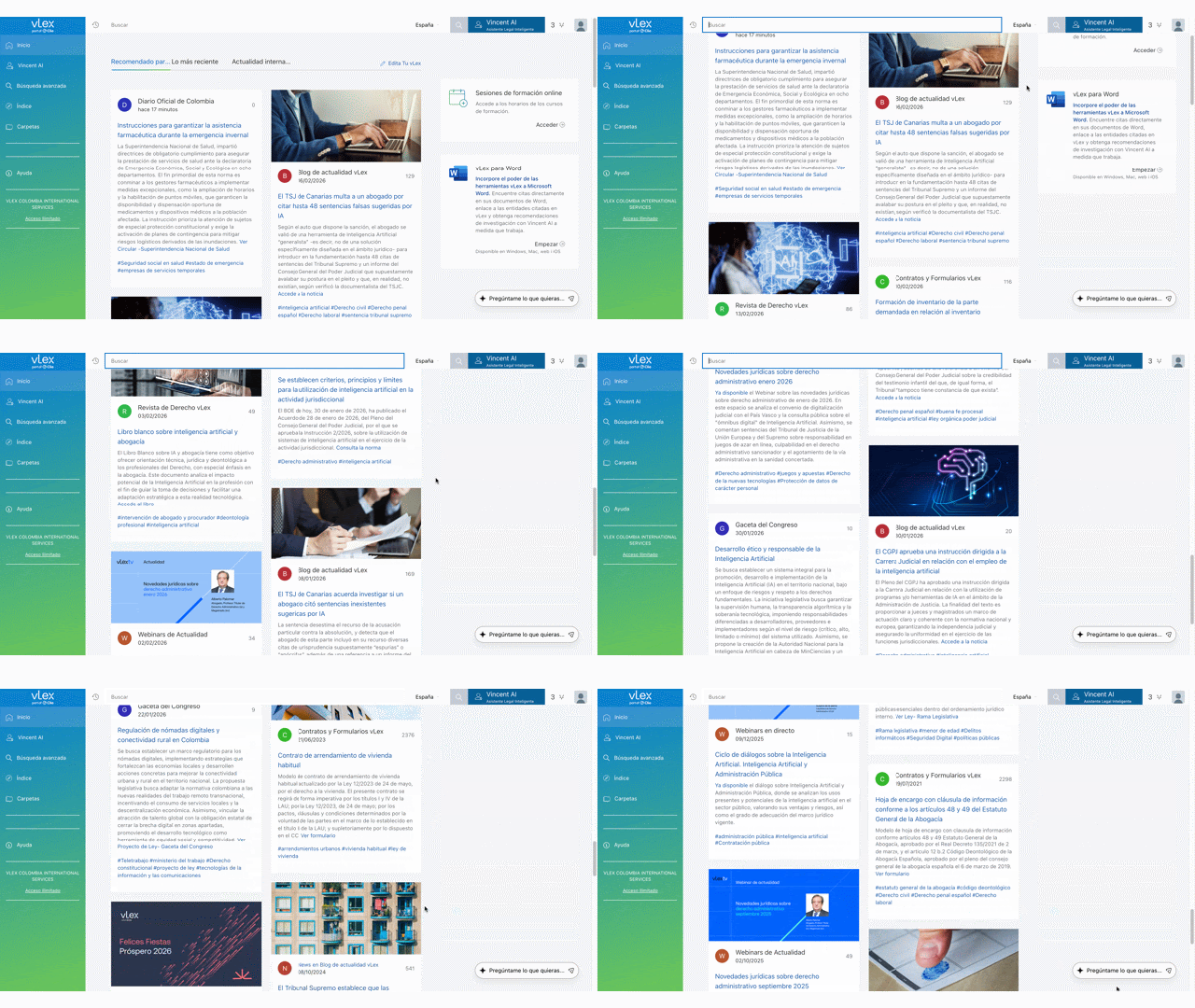
Your Newsfeed is located on the vLex Library **Homepage** and is organized into several tabs to help you find the most relevant information quickly.

{% tabs %}
{% tab title="English Interface" %}

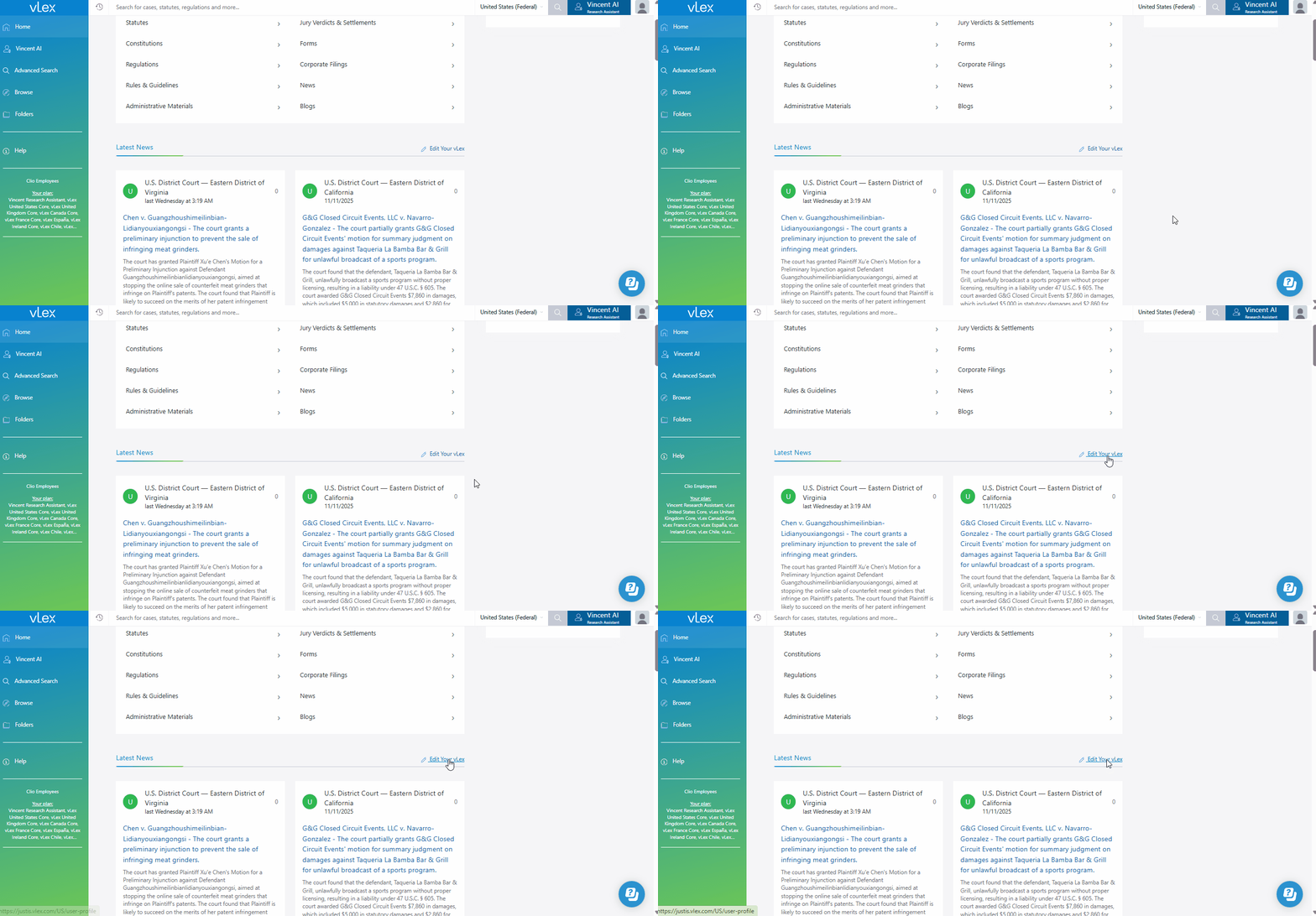
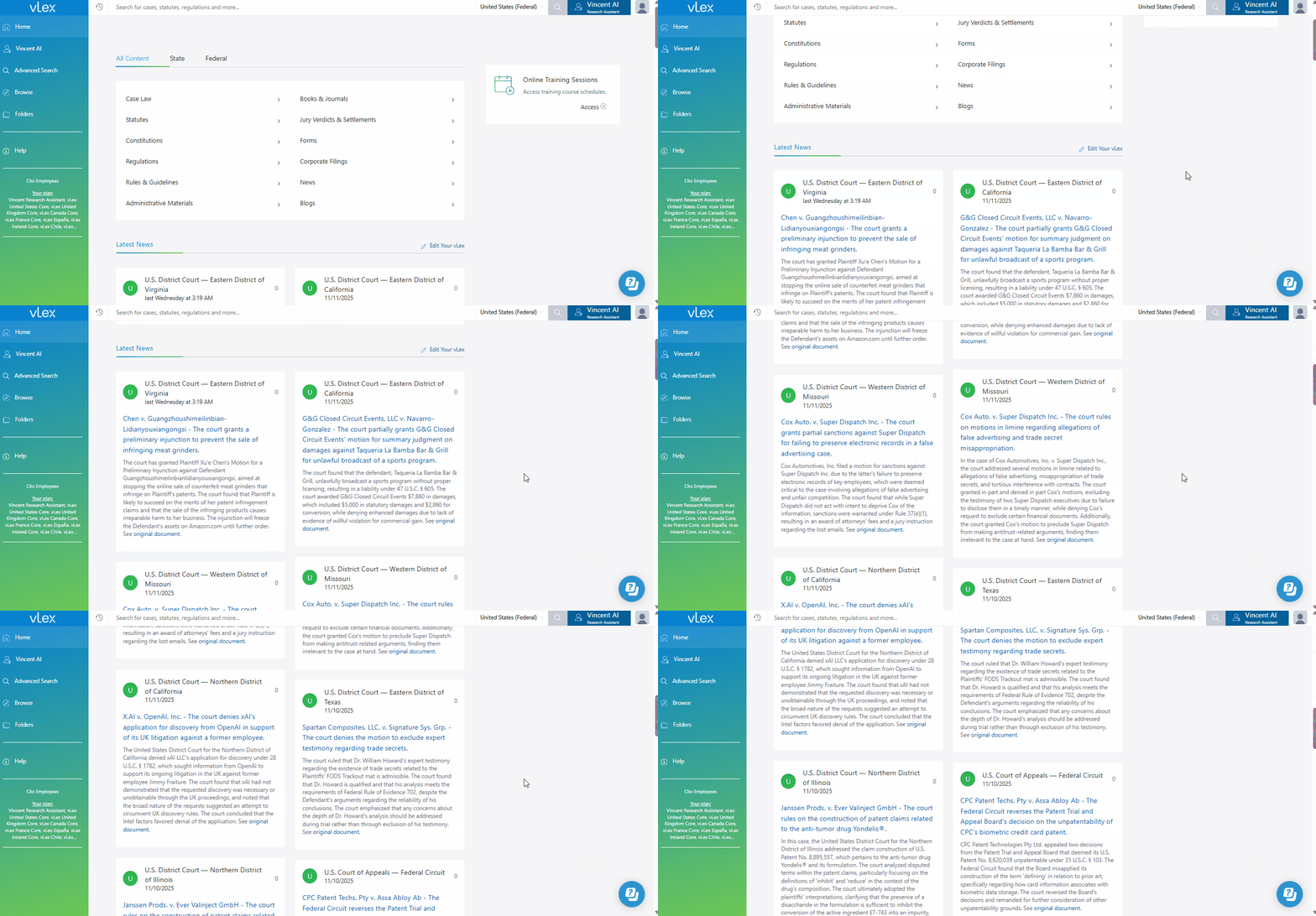
<figure><img src="https://1556743161-files.gitbook.io/~/files/v0/b/gitbook-x-prod.appspot.com/o/spaces%2F-MS8Dq_iqEIflAmbaOkI-887967055%2Fuploads%2FYou8l5OZtZthfePGCmcO%2FThe%20Newsfeed%20is%20a%20central%20feature%20of%20your%20vLex%20Library%20Homepage..gif?alt=media&#x26;token=191a125b-94f9-4652-a72b-509e2bbd56cc" alt=""><figcaption><p>The Newsfeed is a central feature of your vLex Library Homepage.</p></figcaption></figure>
{% endtab %}

{% tab title="Interfaz en Español" %}

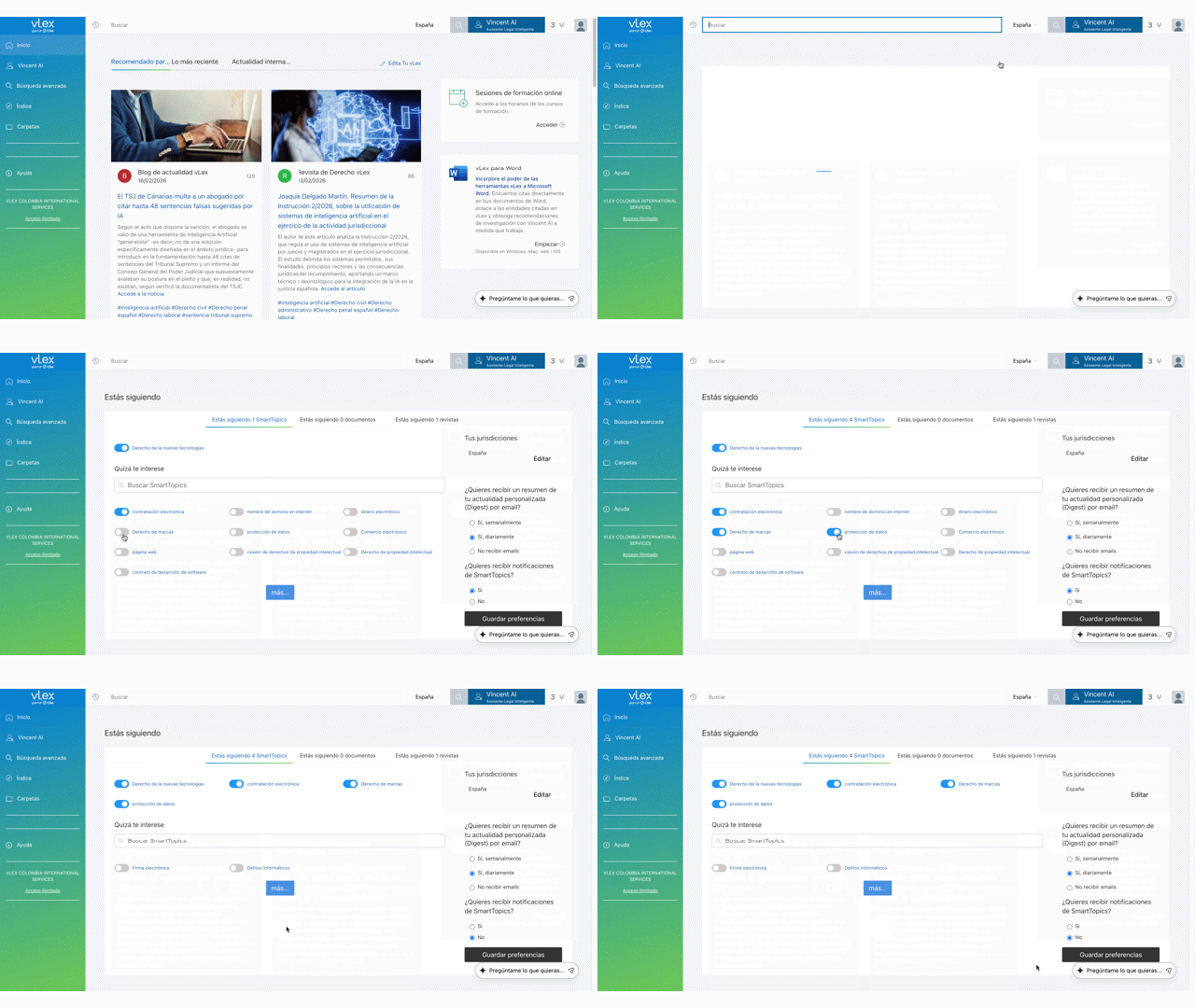
<figure><img src="https://1556743161-files.gitbook.io/~/files/v0/b/gitbook-x-prod.appspot.com/o/spaces%2F-MS8Dq_iqEIflAmbaOkI-887967055%2Fuploads%2FjfEfXJcmqNiswlC11LQ4%2FEl%20Newsfeed%20es%20una%20funcio%CC%81n%20central%20de%20la%20pa%CC%81gina%20principal%20de%20tu%20Biblioteca%20vLex..gif?alt=media&#x26;token=cf007c9a-bdfd-4c66-bffb-f9e5f2471c67" alt=""><figcaption><p>El Newsfeed es una función central de la página principal de tu Biblioteca vLex.</p></figcaption></figure>
{% endtab %}
{% endtabs %}

#### Understanding the Newsfeed Tabs

* **Personalised news:** This tab displays updates from the specific documents, journals, and **SmartTopics** you choose to follow. It is the most customized part of your feed.
* **Latest news:** This section shows leading legal news stories and updates based on your default jurisdiction and general user patterns.
* **International news:** Here you will find significant legal news and developments from around the world, providing a global perspective.

#### Customizing Your Newsfeed Content

To get the most value from your Newsfeed, you must personalize it.

1. On the Homepage, click **Edit your vLex** located above the Newsfeed.
2. In the pop-up window, select the **SmartTopics** tab. Use the toggles to follow topics relevant to your work.
3. Select the **Sources** tab to review and manage the individual documents, dockets, or journals you are following.

{% tabs %}
{% tab title="English Interface" %}

<figure><img src="https://1556743161-files.gitbook.io/~/files/v0/b/gitbook-x-prod.appspot.com/o/spaces%2F-MS8Dq_iqEIflAmbaOkI-887967055%2Fuploads%2FHx9hVWVyTpmHps3IKBnd%2FEasily%20follow%20or%20unfollow%20topics%20and%20sources%20to%20customize%20your%20feed..gif?alt=media&#x26;token=f2e39e6d-dc7e-45b1-9cf1-cae893ec840a" alt=""><figcaption><p><em>Easily follow or unfollow topics and sources to customize your feed.</em></p></figcaption></figure>
{% endtab %}

{% tab title="Interfaz en Español" %}

<figure><img src="https://1556743161-files.gitbook.io/~/files/v0/b/gitbook-x-prod.appspot.com/o/spaces%2F-MS8Dq_iqEIflAmbaOkI-887967055%2Fuploads%2Fxzd6WDsFKJVQIfmdKXfK%2FSigue%20o%20deja%20de%20seguir%20fa%CC%81cilmente%20temas%20y%20fuentes%20para%20personalizar%20tu%20feed..gif?alt=media&#x26;token=def03588-7fdb-45b6-a91f-a1094e9f4580" alt=""><figcaption><p>Sigue o deja de seguir fácilmente temas y fuentes para personalizar tu feed.</p></figcaption></figure>
{% endtab %}
{% endtabs %}

#### Setting Up Email Digests

You can also receive a summary of your personalized news directly in your inbox.

1. Click **Edit your vLex**.
2. In the column on the right, choose to receive a **daily** or **weekly** email digest of all updates from the topics and sources you follow.

### Best Practices & Pro Tips

* **Set Your Jurisdiction:** Your Newsfeed is heavily influenced by your default country setting. Ensure it is set correctly by going to **Manage your account** from the person icon menu.
* **Follow Key Documents:** For any case, statute, or journal that is critical to your work, use the **Follow** toggle at the top of the document page. This will ensure its updates appear in your **Personalised news**.
* **Review Periodically:** As your focus areas change, remember to use the **Edit your vLex** menu to update the SmartTopics and sources you follow to keep your feed relevant.

### Related Articles

* [How to Find, Analyze, and Track Legislation](https://support.vlex.com/vlex-library/vlex-library-home/content-and-document-types/how-to-find-analyze-and-track-legislation)
* [How to Access Official Journals and Gazettes](https://support.vlex.com/vlex-library/vlex-library-home/content-and-document-types/how-to-access-official-journals-and-gazettes)
* [How to Search for Legal News and Current Events](https://support.vlex.com/vlex-library/vlex-library-home/content-and-document-types/how-to-search-for-legal-news-and-current-events)

**What's Your Next Step?**

| **New to** vLex Library **?**                                                                                                                                                                                   | **Already a** vLex Library **Customer?**                                                                                                                   |
| --------------------------------------------------------------------------------------------------------------------------------------------------------------------------------------------------------------- | ---------------------------------------------------------------------------------------------------------------------------------------------------------- |
| [See how vLex Library can transform your practice. **Request a personalized demo**.](https://vlex.com/book-a-demo?utm_source=website\&utm_medium=organic\&utm_campaign=web_trial_homepage\&campaign_id=4270741) | [If you still have questions or need help with a specific feature, our team is here to assist. **Contact our Support team**.](https://vlex.com/contact-us) |