> For the complete documentation index, see [llms.txt](https://support.vlex.com/llms.txt). Markdown versions of documentation pages are available by appending `.md` to page URLs; this page is available as [Markdown](https://support.vlex.com/vlex-library/vlex-library-home/workflows-and-productivity-tools/workflow-how-to-collaborate-with-your-team.md).
# Workflow: How to Collaborate with Your Team
Learn how to collaborate with your team in vLex Library. This workflow shows you how to share documents and use folders for joint legal research projects.
### Summary
Collaborate with colleagues on your **vlex legal research** by using the **Share** feature to send links to documents and the **Folders** tool to create shared research projects.
### Why This is Important
Collaboration is essential for modern legal teams. These tools provide a simple and effective way to share findings, delegate research tasks, and build a collective knowledge base for your cases, improving your team's overall efficiency.
### A Step-by-Step Collaboration Workflow
#### Step 1: Share Key Documents
When you find a document that is critical for your team, share it immediately.
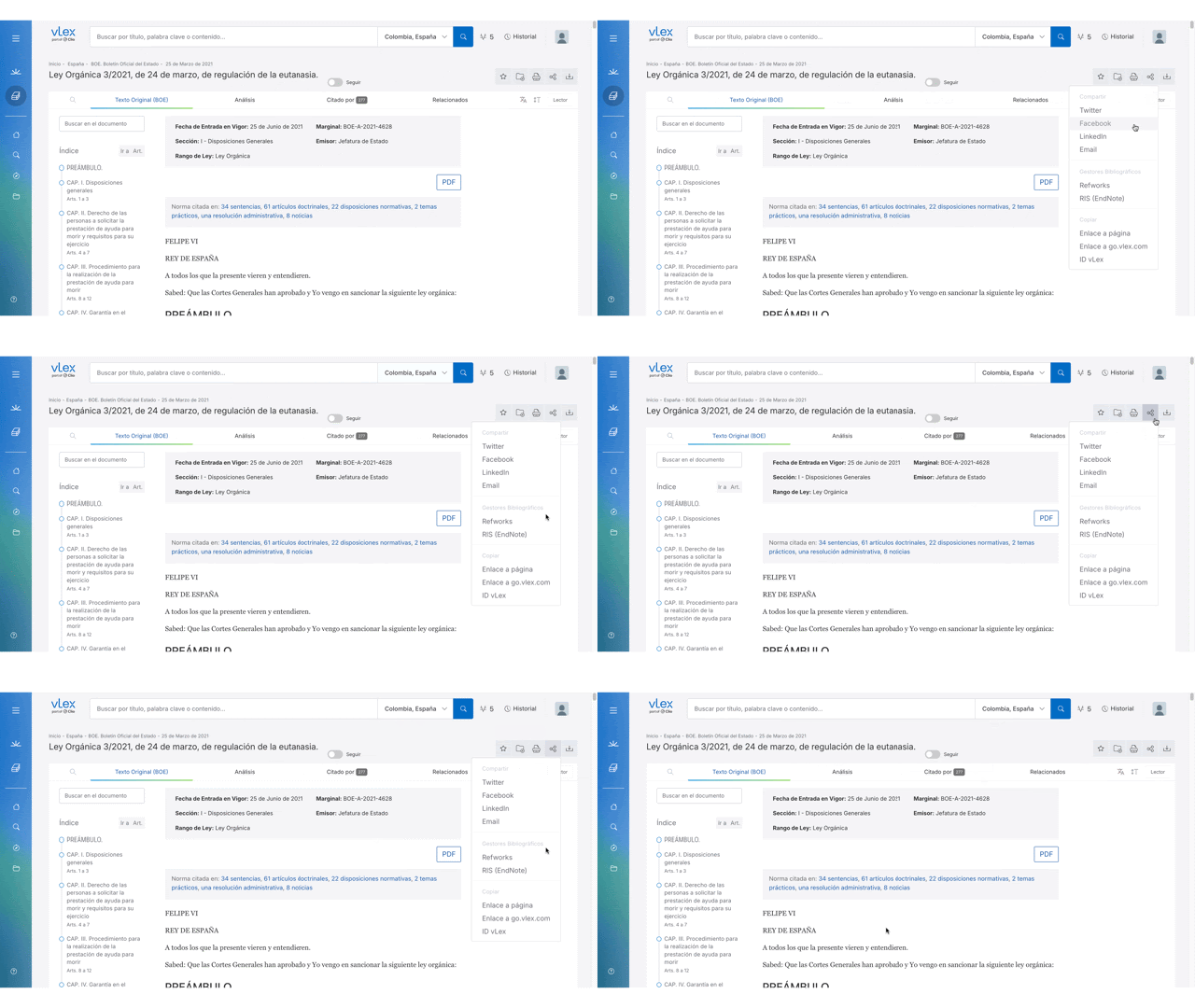
1. From the document viewer, click the **Share** icon in the top-right corner.
2. Choose to share via **Email** or **Copy** the link to paste into your team's messaging application (e.g., Slack, Microsoft Teams).
{% tabs %}
{% tab title="English Interface" %}
Easily share a direct link to any document with your colleagues.
{% endtab %}
{% tab title="Interfaz en Español" %}
Comparte fácilmente un enlace directo a cualquier documento con tus colegas.
{% endtab %}
{% endtabs %}
#### Step 2: Create a Shared Folder (Requires Admin Setup)
For larger projects, work from a shared set of documents.
{% hint style="info" %}
**Note on Shared Folders:** Currently, folders are personal to each user. To collaborate within a shared folder, your organization's administrator can set up a dedicated "project" user account that multiple team members can access.
{% endhint %}
1. Log in to the shared project account.
2. Create a **Folder** for your case or matter.
3. All team members can then log in to this account to add documents to the shared folder and view the collective research.
### Best Practices & Pro Tips
* **Use Descriptive Folder Names:** When using a shared project account, give folders clear, descriptive names (e.g., "Motion to Dismiss - Key Cases") so your team can easily understand the contents.
* **Share Links, Not PDFs:** Sharing a direct vLex link is more efficient than sending a PDF. It ensures your colleague is viewing the most up-to-date version of the document and has access to all of vLex's analytical tools.
### Related Articles
* [How to Organize Your Research with Folders, Notes, and Highlights](/vlex-library/vlex-library-home/workflows-and-productivity-tools/how-to-organize-your-research-with-folders-notes-and-highlights.md)
* [A Guide for Administrators: Managing Your Corporate Account](/vlex-library/vlex-library-home/account-and-admin-management/a-guide-for-administrators-managing-your-corporate-account.md)
* [How to Contact vLex Support](/vlex-library/vlex-library-home/account-and-admin-management/how-to-contact-vlex-support.md)
**What's Your Next Step?**
| **New to** vLex Library **?** | **Already a** vLex Library **Customer?** |
| --------------------------------------------------------------------------------------------------------------------------------------------------------------------------------------------------------------- | ---------------------------------------------------------------------------------------------------------------------------------------------------------- |
| [See how vLex Library can transform your practice. **Request a personalized demo**.](https://vlex.com/book-a-demo?utm_source=website\&utm_medium=organic\&utm_campaign=web_trial_homepage\&campaign_id=4270741) | [If you still have questions or need help with a specific feature, our team is here to assist. **Contact our Support team**.](https://vlex.com/contact-us) |